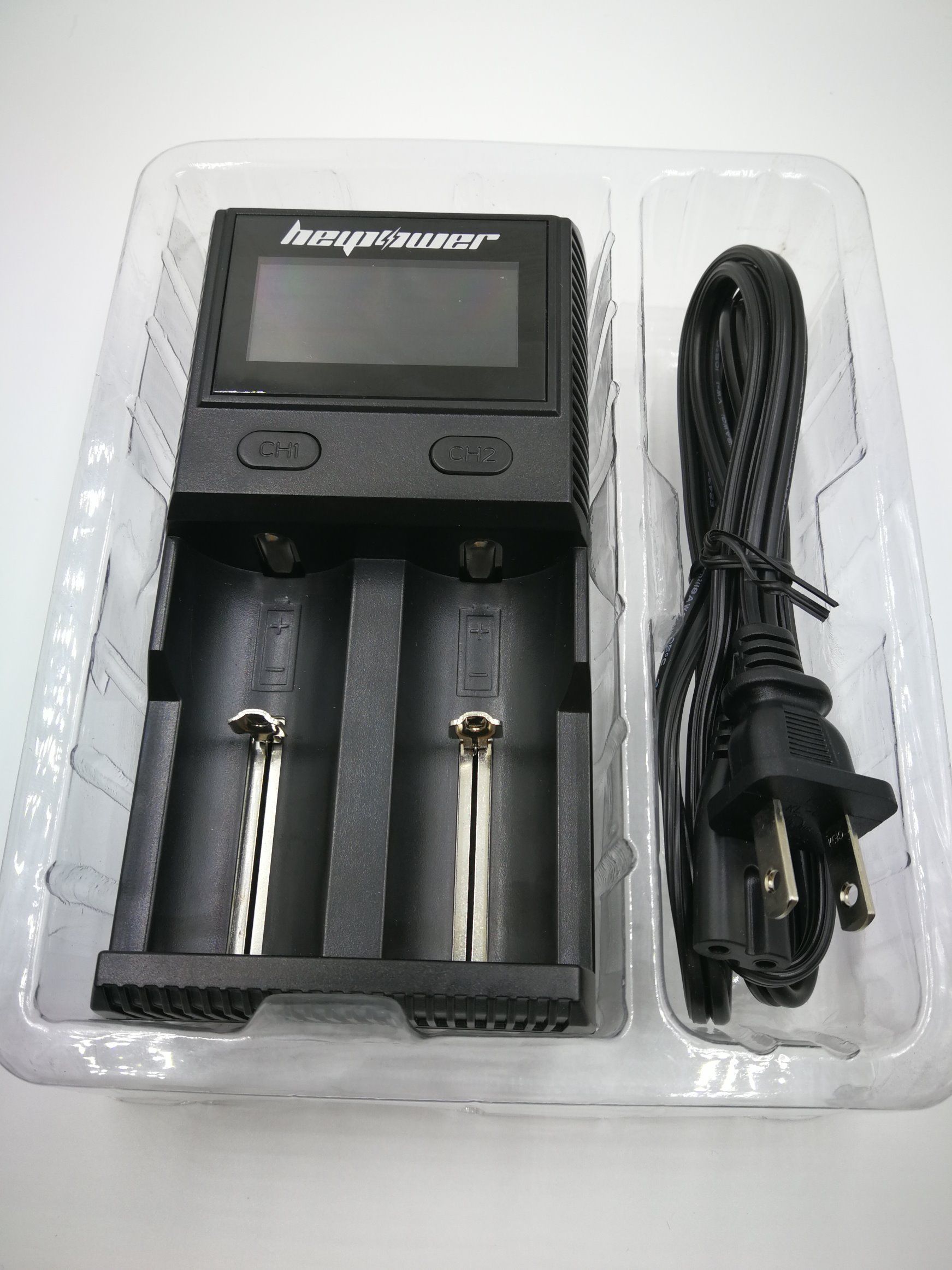
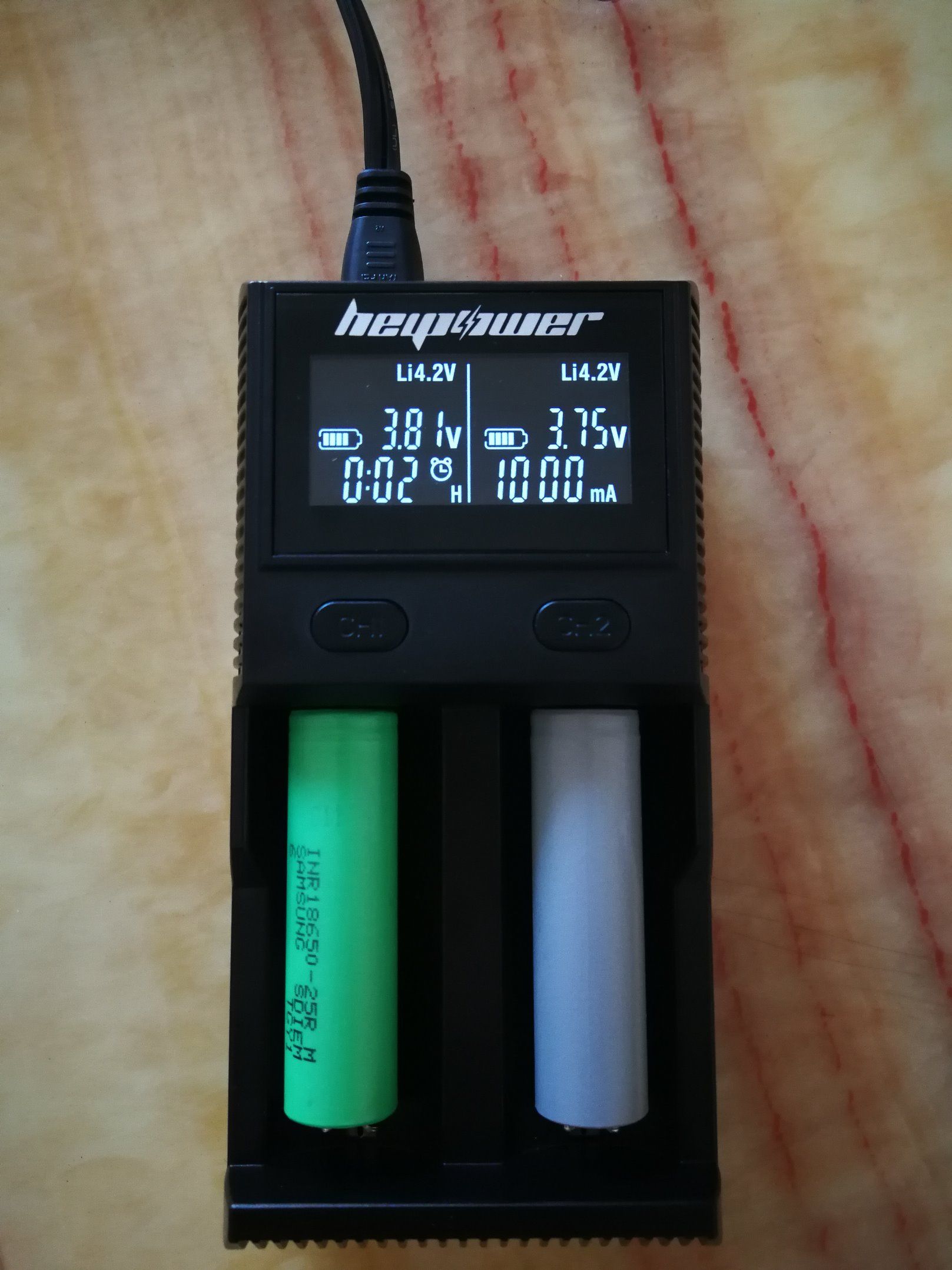
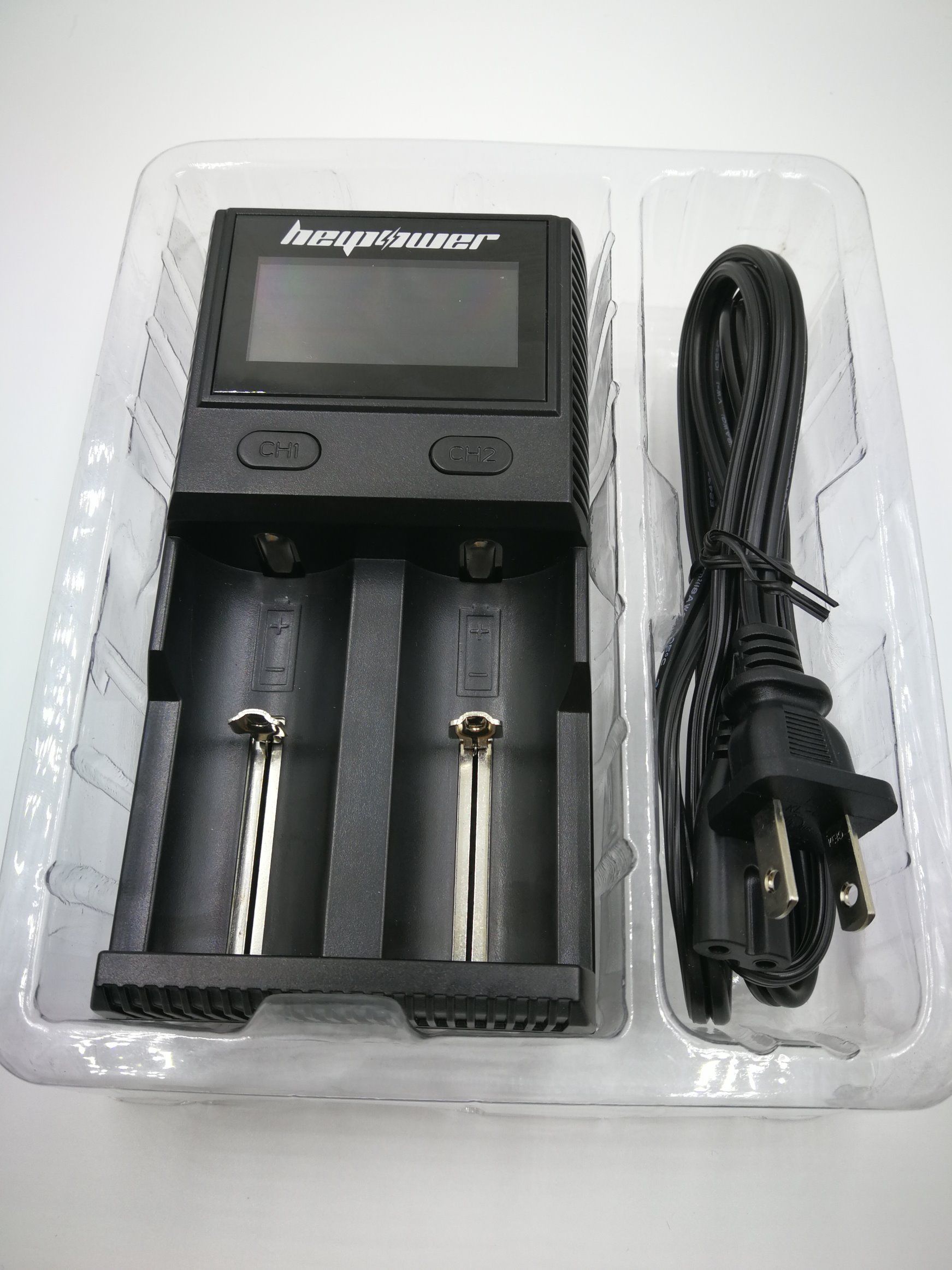
Product features
· can charge two batteries simultaneously
· two charging slots are independently controlled and independent of each other
· capable of compatible and automatic identification of lithium-ion batteries and nickel-nickel/nickel cadmium rechargeable batteries
For example, lithium ion battery: 26650, 22650, 18650, 17670, 18490, 17500, 18350, 16340 (RCR123), 14500,
10440
Nickel metal hydrogen/nickel cadmium rechargeable battery: AA, AAA, AAAA, C, D
· optimized design of IMR battery charging
· high definition LCD display, which can display the charging parameters and charging process of the battery in real time
· two buttons can be manually switched to display charging slots and various charging parameters
Can undertake according to battery capacity, battery charging current Settings, current 300 ma, ma, 500, 1 A, 1.5 A, 2 A, 3 A.The nickel battery is the biggest a.
· built-in USB port and compatible with all USB devices.
· the microcomputer system will automatically select the charging mode according to the battery type and battery status detected. (constant current, constant pressure, dV/dt)
· when the battery is full, it will automatically stop charging
· equipped with battery charging timeout protection function
· built-in temperature control protection function
· made of ABS fire retardant materials
· battery anti-anti - protection function
· excellent heat dissipation design
· through RoHS, CE and other safety quality certifications
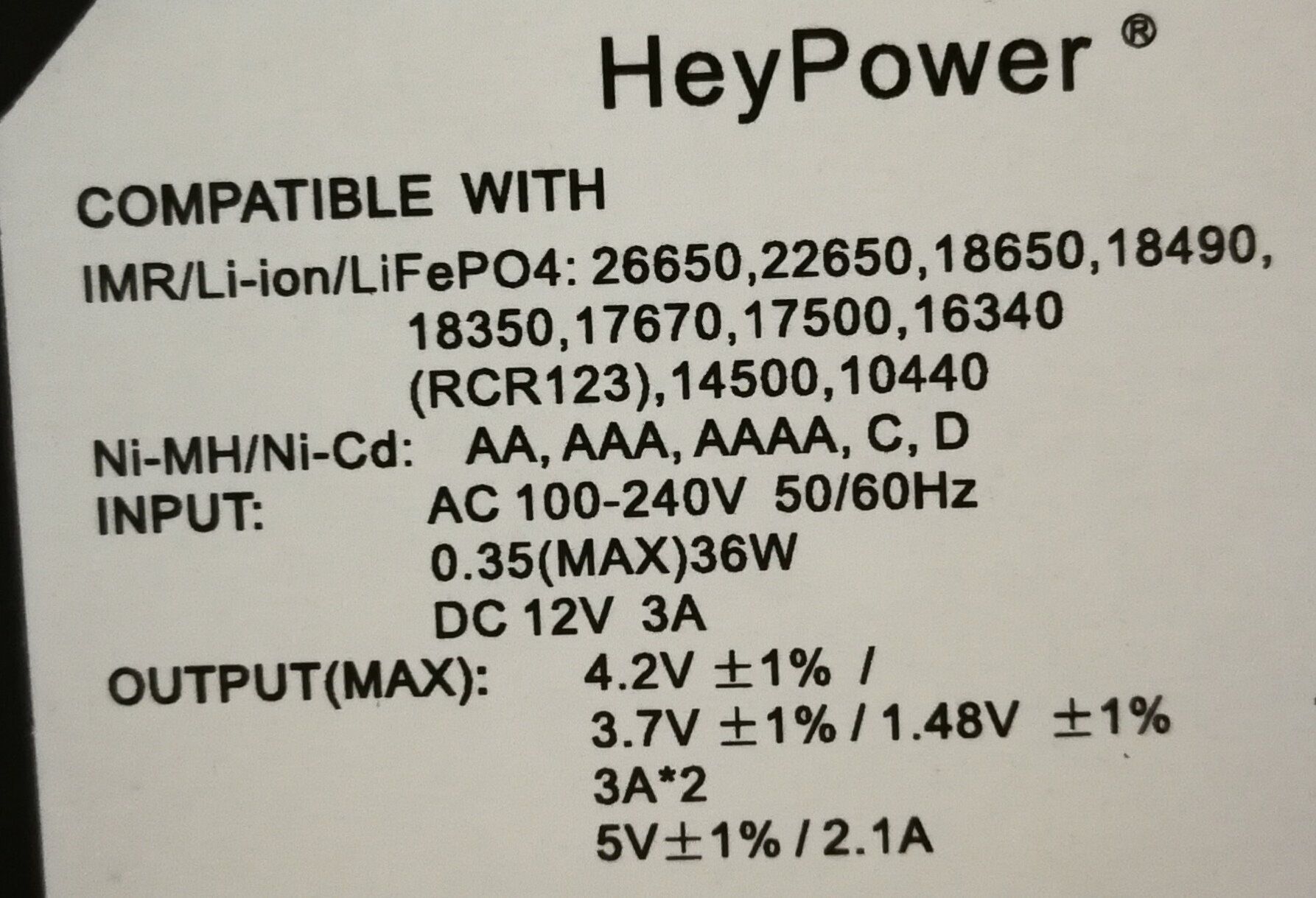
Technical parameters
Input: AC 100‐240V 50/60hz 0.35A(MAX)
DC 12V 3A
Output voltage: 4.2V + / -1% / 3.7V + / -1% / 1.48V + / -1%, USB 5V + + 1%
Output current: 3A x 2, USB 2.1A
Compatible battery:
Li‐ ion/IMR/LiFePO4:26650, 22650, 18650, 17670, 18490, 17,500, 18350, 16340 (RCR123), 14500, 10440
Ni‐MH (Ni ‐Cd): AA, AAA, AAAA, C,D
Size: 155mm x 82mm x 48mm (length/width/height)
Weight: 260g (excluding battery, power cord)
Instructions for use
1. Insert the power cord (or the vehicle adapter) at one end into the CY23K charger and the other end plug into the power outlet. The charger will display the full display LCD screen for 1 second and carry out the system
After the test, the charger will display the current charger status.If the charging slots of the charger are not put into the battery and no USB charging device is put in one minute, charge
The device will enter energy saving mode (turn off screen display and backlight);When placed in a battery, insert a USB device or press any button to activate the display.
2. This charger has two charging slots, each of which can be independently controlled, and the user can put different kinds of charging battery in each charging slot (3.7v lithium ion)
Rechargeable battery, 1.2V nickel hydrogen/nickel cadmium rechargeable battery or 3.2V iron phosphate battery.
Note: when the battery is put into the battery, it should be placed in the positive and negative direction marked on the charger, and the reverse positive and negative load will not be charged. (the system will be automatically protected
The battery is not charged.
3. When the battery is put into the battery, the charger will check the battery, and the battery type and charging current will be automatically configured after the test.When the battery type is configured, the screen is on
The battery type icon will blink, and the battery type can be modified by pressing the key.When the charging current is configured, the current value icon on the display flashes and displays
Press the key to adjust the charging current.After the configuration is completed, it will enter the normal charging state.If an exception is detected, the charge will automatically stop charging.
4. When charging is carried out, the power indicator of the display screen will carry out the dynamic demonstration charging status of the running horse, showing the current battery voltage and charging current value in real time.If you need to view it
Charge amount and time of charge, need to press the key of corresponding slot, can switch to show.
5. Check the USB charging information.When plugging in the USB charging device, the system will automatically configure the display area as USB information, and the corresponding key of the charging slot can be cut
Switch to USB charging information and battery charging information.The USB display interface can also press the button to switch to check the charging current. The charge amount has been charged.
6. Full display, after all the batteries and USB devices are full of power, the system will stop charging, and the battery indicator will display full, and after 1 minute, the shutdown will show up to sleep.
7. The charger is off screen, and in order to meet the needs of different customers, this product increases the function of the button screen.Press the two buttons at the same time, the display screen is off but it does not affect the charging function.
After closing, tap the button, plug in USB, and remove the battery to wake up the display.
The 3.7-v iron phosphate battery is charged
There will be LiFePO4 on the battery of the lithium iron phosphate battery, or 3.2V for the identification voltage.You have to be careful when you charge this battery, because you're not doing it
In any setting, our charger will be automatically configured to charge a 4.2V lithium battery, which will cause the battery to overcharge and damage the battery and even trigger an explosion hazard.
You need to manually configure "Li3.7 V".
Put in the lithium iron phosphate battery, select "Li3.7 V" when configuring the battery model, and then configure the corresponding charging current value (the charger can also be automatically configured). After the configuration,
The charger is the lithium iron phosphate charging mode to charge the battery.To modify configuration parameters, simply remove the battery and reconfigure it.
Note: it cannot be configured as "Li4.2 V", "Li4.35 V", otherwise it will cause danger.
Charge the lithium ion/IMR battery
The 4.2V lithium-ion battery is the most common lithium rechargeable battery, and it usually has a 3.6v /3.7V on the outer skin of the battery.
Put in the battery, the charger will automatically identify as 4.2V lithium ion battery, also can be configured battery model, when the battery model is configured, select "Li4.2 V", and then configure phase
The charging current value (the charger can also be automatically configured), the charger will start charging after the configuration.To modify configuration parameters, simply remove the battery and refill it
The slot is reconfigured.Note: the "Li4.35 V" cannot be configured as "Li4.35 V", otherwise it will cause danger.