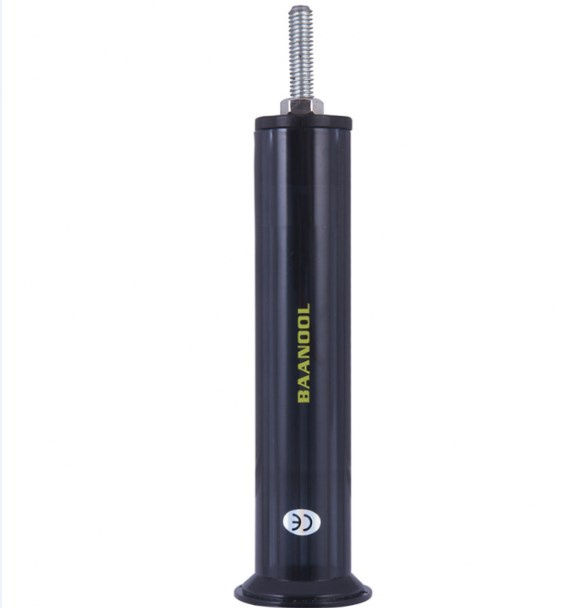
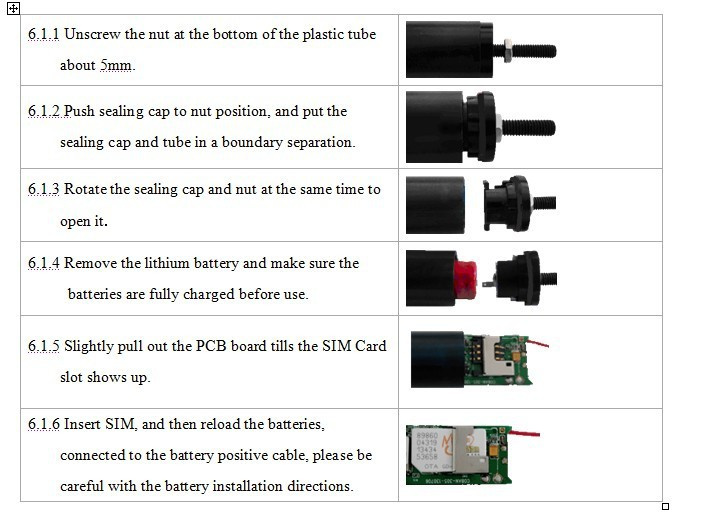
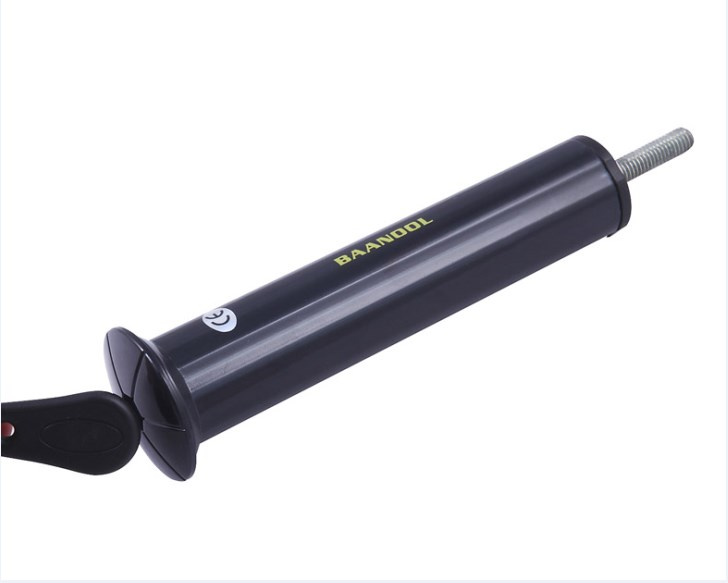
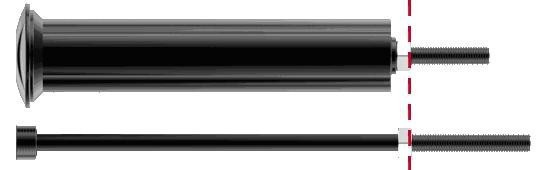
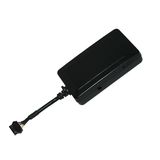
Position the nut of the M6 matching Screw, to match the nut and tracker device.Rotating the M6 matching screw into the bicycle's head tube and fix it,
hen wedging M6 screw fully into the head tube with a hammer.
Remove M6 screw and load the tracker.
7.1Operation instructions
Working mode
1 Bicycle mode1(default mode)
Send SMS command to tracker device "sleep+password+space+bicycle2", tracker will reply "sleep bicycle 2 ok". In case of no operation in 5 minutes, tracker will enter low power consumption mode, GSM, GPS ,LED shut off. Neither SMS nor Calling can awake tracker device. Tracker will only be awakened by shock under ARM state.
2 Bicycle mode 2
Send SMS command to tracker device " sleep+password+space+bicycle1" , tracker will reply "sleep bicycle 1 ok".In case of no operation in 5 minutes, tracker will enter low power consumption mode , GSM,GPS,LED shut off .Neither SMS nor Calling can awake tracker device. Tracker device will be awaken by shock and send message under both ARM and DISARM state.
3 Ordinary mode
Send SMS command to tracker device "sleep+password+space+shock", tracker will reply" sleep shock ok". It will enter sleep mode if no shock is detected. GPS,LED shut off. SMS,Calling,Shock can awake the tracker .
7.3 Initialization
Send "begin+password" in SMS to the unit, it will reply "begin ok" and initialize all the settings. (Default password: 123456)
For example, send SMS" begin123456" to the tracker , If succeeded, tracker will reply"begin ok".
7.4Change the password
1 Set Password: Send sms: "password+old password+space+new password" to the unit to change the password.
For example, send sms: "password123456 888888" to terminal device, it will reply sms: "password OK". New password 888888 changed in success.
2 Be sure keep the new password in mind, you have to upload the software to restore the original setting in case of losing the new password.
3 Make sure the new password is in 6 digits Arabic numbers, or the tracker can not recognize the password.
4 Make sure that all the symbol"+"in sms commends is just for quick understanding, which don't need to enter "+" in sms, and "space" means press the spacebar button of the cell phone.
7.5Authorization
There are 5 numbers to be allowed to authorize in the tracker at most, be sure to set the authorization phone number before use.
1 Call and track the tracker device for 10 times from cell phone in success, it will make the cell phone number as the authorized number automatically
2 Authorization: Send SMS "admin+password+space+cell phone number" to set up an authorized number, the other authorized numbers should be set by the first authorized number, if the number is successfully authorized, the unit will reply"admin OK" by SMS.
3 Delete authorization: Send SMS "noadmin+password+space+authorized number" to delete the authorized number.
4 If you want to track the target tracker device when it enters into another country, you must add the country code before the cell phone number, for example, send SMS "admin123456 008613322221111" to the device. Note: 13322221111 will be set up as the authorized number.
7.6Scheduled wake-up
Send SMS command"schedule+password+space+7d"to GPS unit, tracker will wake up each 7days and report location (m: minute, h: hour, d: day) the maximum interval at most is 3digital
Cancel scheduled wake-up: After wake up, send sms"nonschedule+password", this function can be canceled
7.7Single Locating
1 Any number call the tracker device, it will reply a SMS including the position of latitude and longitude if don't set up the authorized number. If authorized number has set successfully, the device won't reply SMS including the positioning of latitude and longitude when the unauthorized number dials up it.
2 Dialing the tracker device from the authorized number, it will hang up your calling and respond to a real-time latitude and longitude information as following:Package Include:( No retail box )
1pc * GPS Main Unit BN-30
1pc * charger (US/UK/EU)
1pc* USB cable
1pc * Dock charger
1pc* li-lion battery
1pc* Inductive key
1pc* Matching screw
1pc * User Manual